Skip to content
All work

Rampa Pro

Automated truck entry, parking and ramp management

Rampa Pro reads each truck's number plate at the gate, checks it against the deliveries the hub expects and opens the barrier. Operators call trucks to unloading ramps from one screen, drivers see their ramp on a light board, and every move is logged.

Industry
Transport and logistics
Type
Web application and background service
What we did
Design, web development, background services and hardware integration
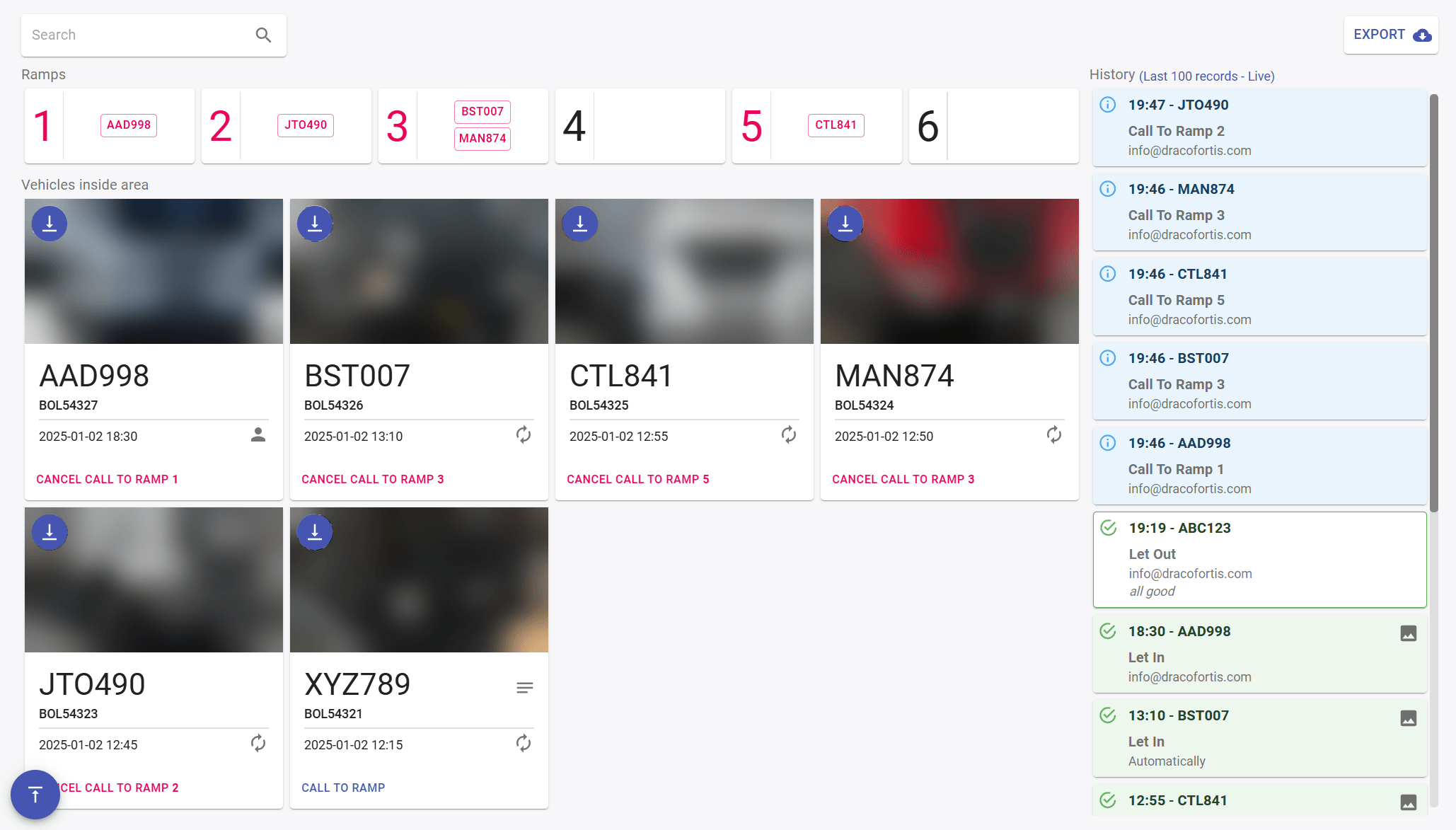
The Rampa Pro dashboard: six unloading ramps with the trucks called to each, cards for the six trucks inside the area with their plates, booking numbers and blurred photos, and a live history of calls, entries and exits
  1. Ramps. The six unloading ramps, each with the trucks called to it.

  2. Plate and booking. The plate the camera read, the bill of lading (BOL) it matched and a photo of the truck, blurred here.

  3. Entry. When the truck came in. The person icon means an operator let it in; the arrows, that the barrier opened on its own.

  4. Ramp call. Calls the truck to a ramp, or cancels the call.

  5. History. Every call, entry and exit as it happens, with who made it or whether it was automatic, and a photo for each entry and exit.

  6. Export. The log as a report, for audits.

01Scenario

A logistics hub needed one system for trucks coming in and going out. ANPR cameras, boom barriers and digital light boards had to work together, routine steps had to happen without an operator, and every movement had to be logged for audits.

02Solution

Entry and ramp calls

When a truck arrives, an ANPR camera reads its number plate. Rampa Pro checks the plate against the bills of lading (BOL) registered in advance and the expected arrival date. If they match, the barrier opens on its own; if not, an operator can let the truck in by hand. Either way, the system keeps a photo of the truck.

Inside, every truck in the parking area is on the dashboard. Operators call trucks to unloading ramps from there, and the ramp number appears on a digital light board to guide the driver. A call that is not answered cancels itself after a time the operator sets.
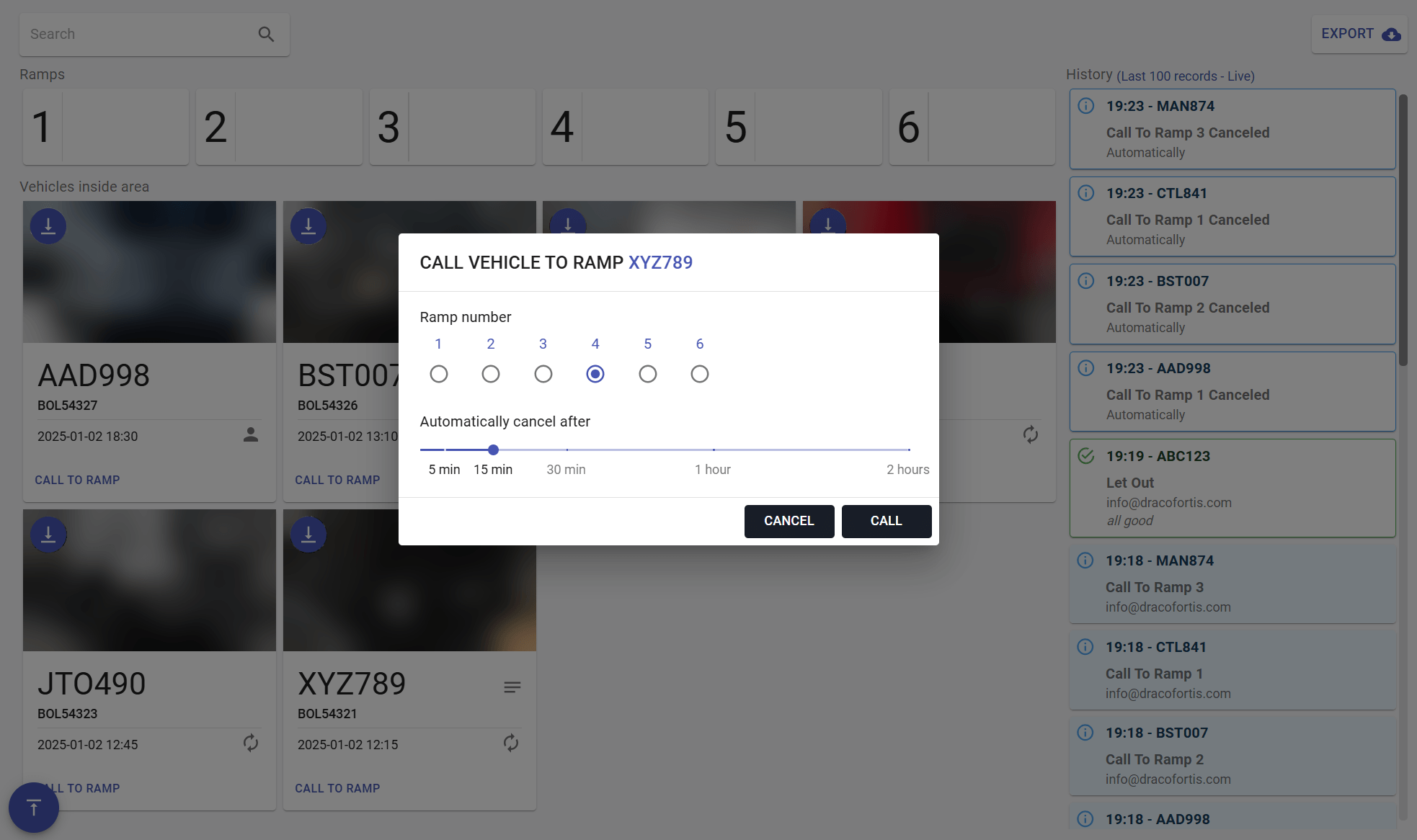
Rampa Pro's dialog for calling truck XYZ789 to a ramp, with ramp 4 chosen and a slider to cancel the call automatically after 15 minutes, over the dashboard
  1. Ramp. The operator picks the ramp the truck should go to.

  2. Time limit. If the truck does not come, the call cancels itself after this time, from 5 minutes to 2 hours.

  3. Cancelled calls. Calls that ran out are logged too, marked as cancelled automatically.
Exit and the record

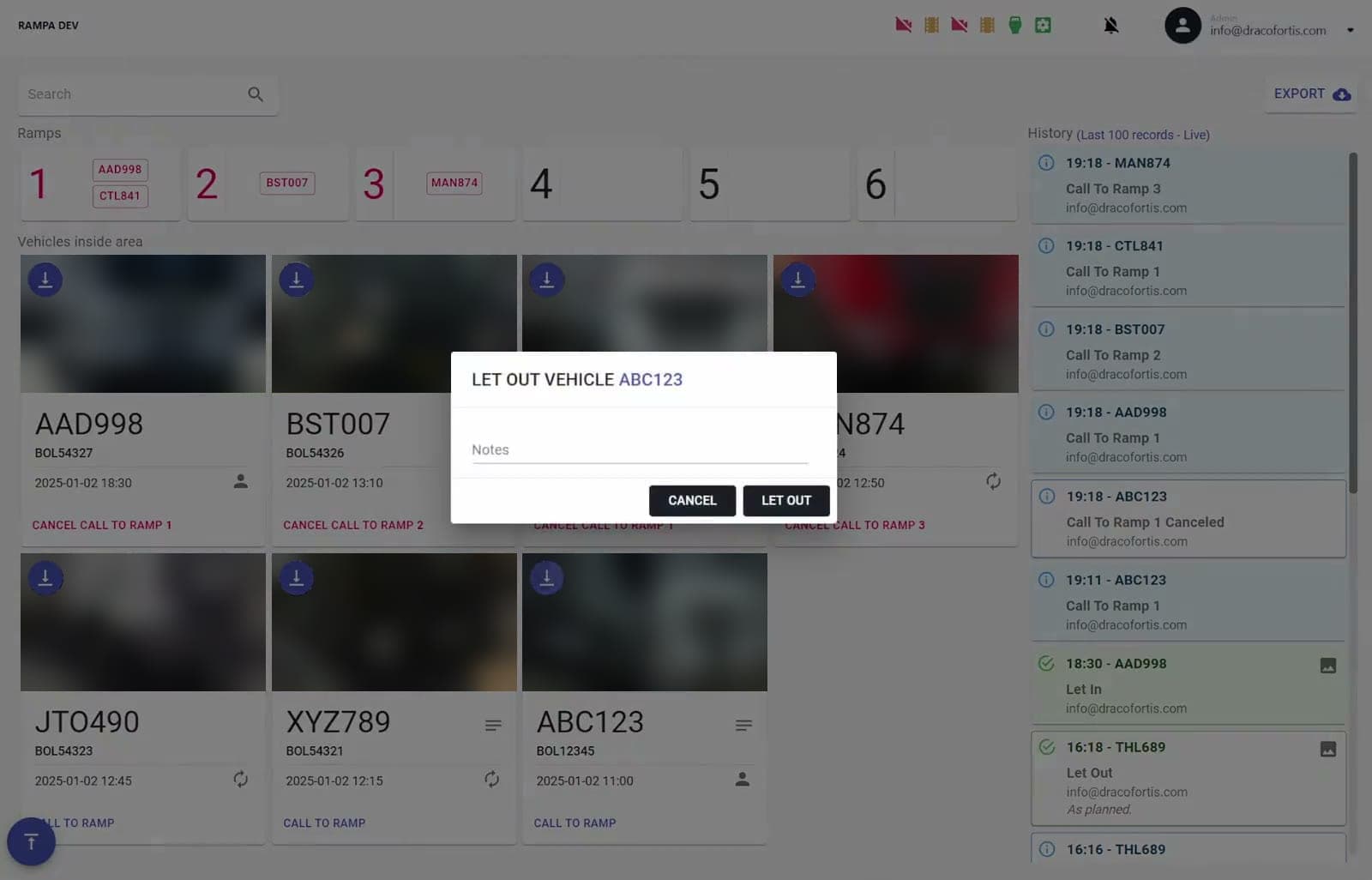
When unloading is done, the operator lets the truck out from the same screen, which opens the barrier, and can add a note. Exits are logged with the entries and ramp calls, so each truck's movements are in one record, and the log can be exported as a report.

Screen recording of an operator letting a truck out of the area in Rampa Pro, with a note

03Outcome

Fewer manual steps
A truck with a matching booking is let in without an operator, and operators step in only for the rest.
Drivers guided
Drivers read their ramp from a digital light board.
Evidence
Every entry and exit has a photo of the truck.
Audit trail
Every action, automatic or by hand, is logged and can be exported as a report.

Next case study

Audio Annotation

Contributors record sentences in their own dialect, check each other's recordings and mark who speaks when, to build speech datasets.

Tell us what you need.

A few lines about the problem are enough to start. We reply by email, with questions or a time to talk.